 Help AI Academy
AI lessons for people who live in spreadsheets
Turn your spreadsheet into answers. In minutes.
Short lessons that show you how to ask AI about your own data: your sales, your customers, your numbers. Plain English. No coding.
- Short lessons you can finish in one sitting
- Works with ChatGPT, Claude, or Gemini
- Practice on your own data
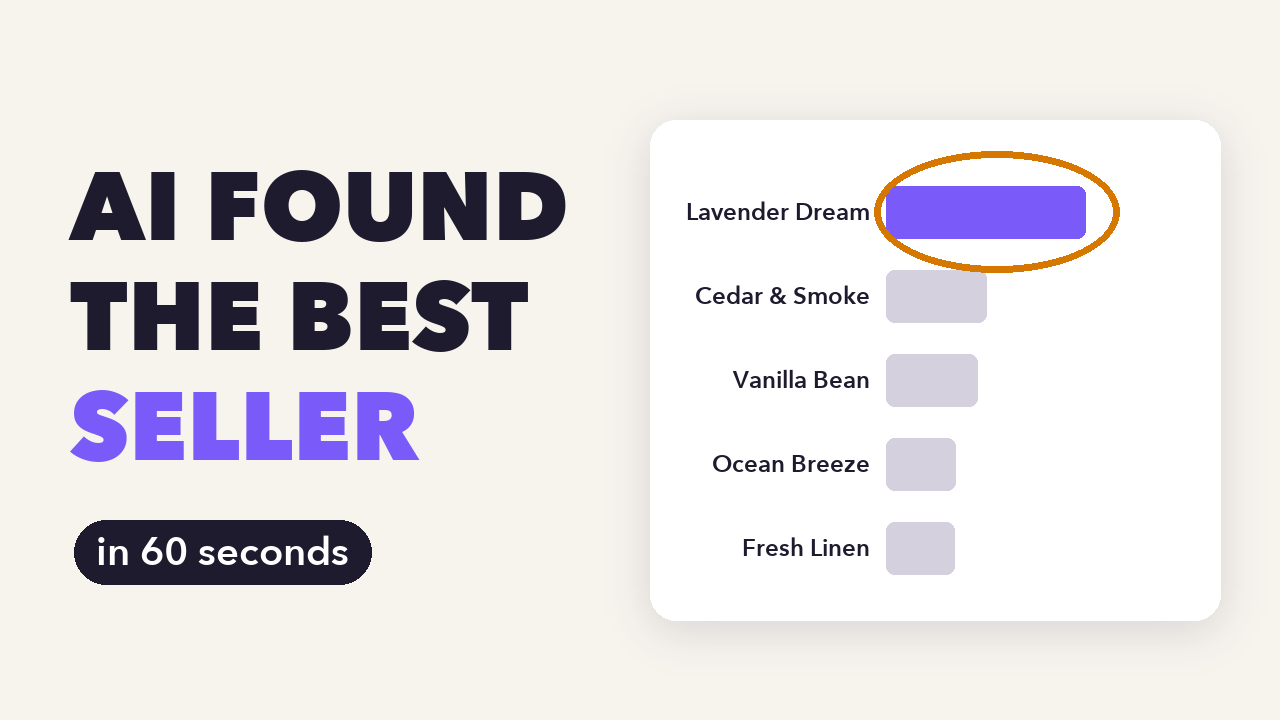 Watch Lesson 1 free · 4 minutes
What you'll be able to do
Ask your data a question. Get an answer you can trust.
Ask better questions
A four-part prompt that gets a clear table or chart back, not a wall of text.
Clean up messy data
Duplicates, typos, mixed dates. AI finds them, and you decide what gets fixed.
Catch AI's mistakes
AI sounds sure even when it's wrong. Five quick checks before you act on a number.
Inside a lesson
Copy a prompt. Paste it. Read your chart.
Every lesson gives you the exact words to use, then shows you how to read what comes back.
A prompt from Lesson 1
I run a small online candle shop. This file is my 2025 order history.
Which products made the most money? Show me a bar chart of total revenue by product, highest to lowest.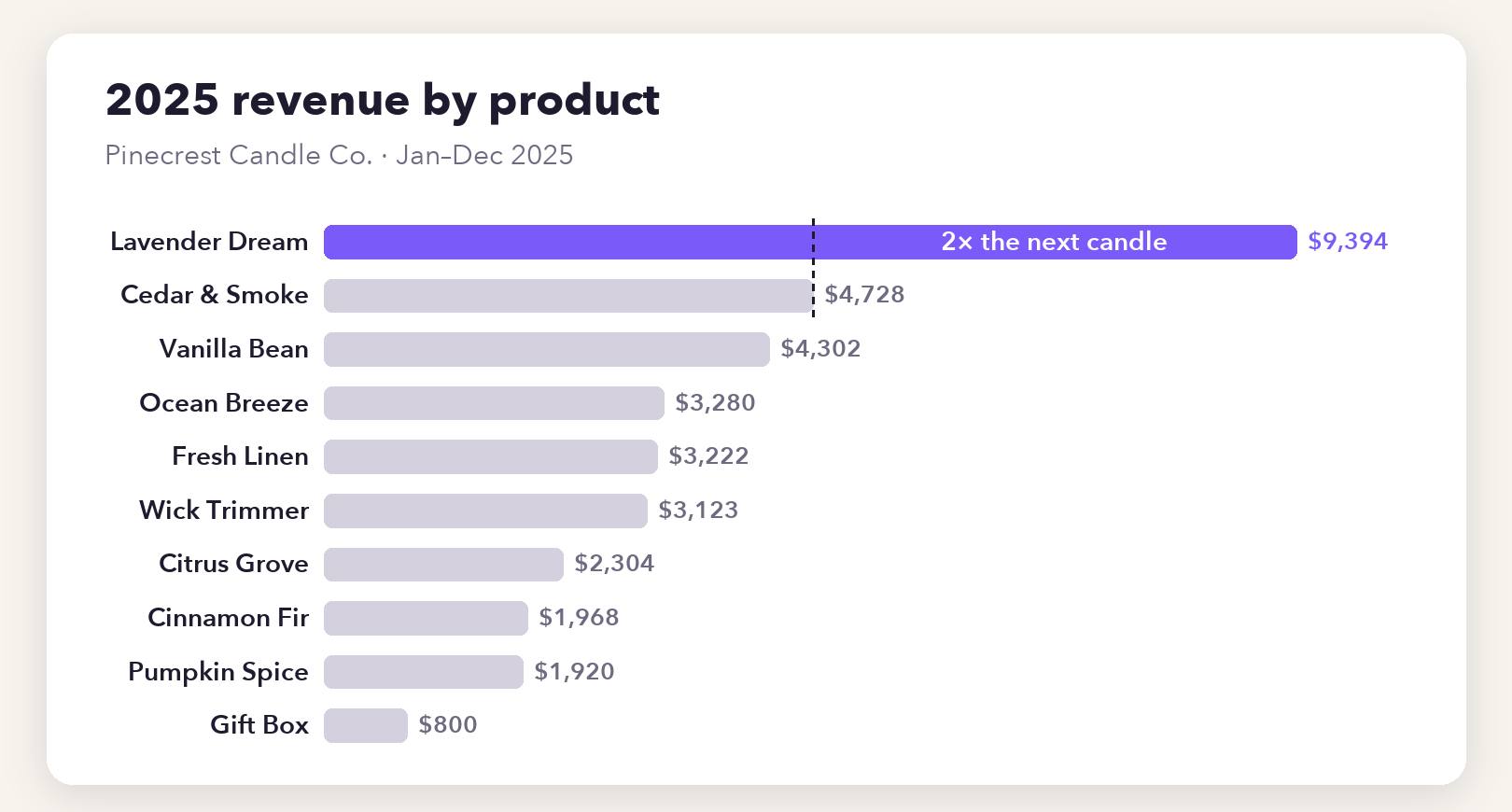
How it works
Short lessons. Your data. Real results.
Follow a short lesson
You see the finished result first, then the steps that got there.
Try it on your own data
Your sales export, your customer list, your budget. Copy the prompts and follow along.
Check that it stuck
A four-question quiz and a small project after every lesson.
The courses
Start with a chart. Work up to your own AI app.
AI Data Quickstart
Answer real questions about your business spreadsheets using AI. It takes minutes and no coding.
See the lessons Course 2Make AI Predict Things
Build models that predict yes/no answers and numbers from your data. AI writes the code; you steer and check.
See the lessons Course 3Teach AI to See
Build an image recognizer from your own phone photos and share a demo link with friends.
See the lessonsWho it's for
Made for people with real questions, not for programmers.
Shop owners and side hustlers
What's my best seller? Which customers come back? When should I stock up?
People whose work runs on spreadsheets
How do I turn this messy export into one clear chart and a one-page report?
Curious beginners
Where's a practical place to start with AI, using data I actually care about?
Questions
Before you start
Do I need to know how to code?
No. The first course runs entirely in an AI chat app. The later courses use Google Colab, a free tool in your browser, where the AI writes the code and you steer.
Which AI tools do I need?
One AI assistant that can open spreadsheets, such as ChatGPT, Claude, or Gemini. Free plans have daily limits and change often, so check that yours can read a file and draw a chart.
What does it cost?
Membership will be $5 a month for everything, with no contract. It opens soon. Lesson 1 is free to watch now, and the free guide gets you on the list.
Are the courses accredited?
No. Help AI Academy is independent and non-accredited. You get practical skills, not academic credit or a professional credential.
Who teaches the lessons?
The lessons are written by Help AI Academy and narrated by an AI voice over animated walkthroughs. That keeps every lesson short and to the point.
Is my data safe?
Your files stay between you and the AI assistant you choose. We never see them. An early lesson shows you how to remove personal details before you upload anything.
Start with the free guide
25 prompts you can paste into your AI assistant today, for any spreadsheet. We'll also email you when new lessons come out.